Automations
When something happens in a base, do the next thing for you.
Seven triggers and seven kinds of steps, including AI generate and if/otherwise, a run log for every run, automatic retries and loop protection. Everything runs inside the base, on Cloudflare or in Docker.
- Triggers: a record is created, updated or starts to match conditions, a schedule, a date is reached, a webhook is called, a button is clicked
- Steps: create, update and find records, send an HTTP request, send email (Cloudflare Email Service, Resend or SMTP), AI generate, if/otherwise
- Values from the trigger and earlier steps with {{field name}} templates
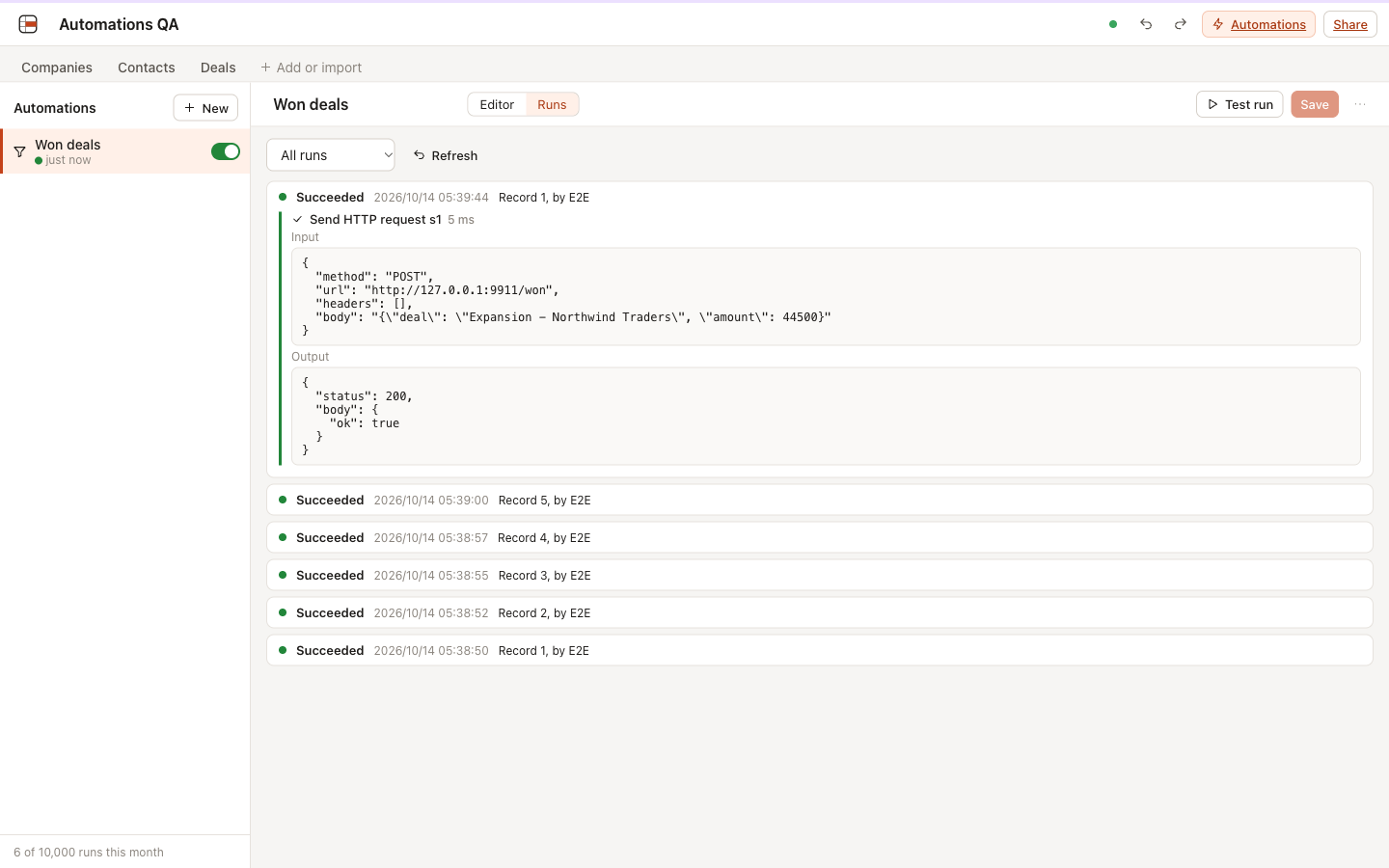
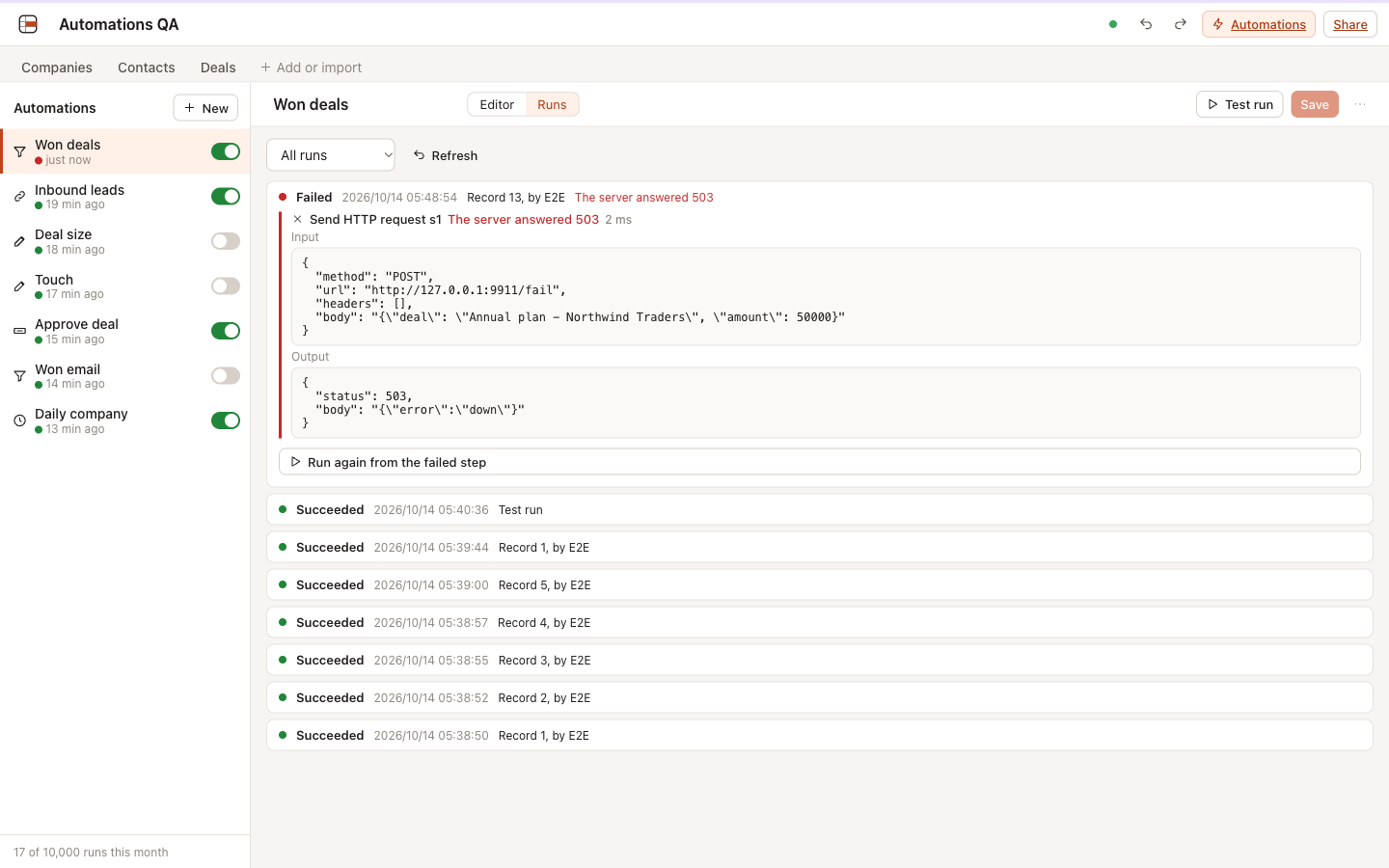
- A run log with each step's input and output, retries after 10 s, 1 min and 5 min, run again from the failed step
- Webhook URLs with secret tokens and Button fields in the grid
125 of 125 automated tests pass in 14 files (2026-10-21).
Verification record
The test method and results below are the project's own record, kept next to the code and published unedited.
Automations: verification record
Date: 2026-10-13. Feature: part 4 of the feature expansion (spec).
What was tested
- Seven triggers: a record is created, a record is updated (optionally only some fields), a record starts to match conditions, a schedule (hourly, daily, weekly, monthly, in a time zone), a date field is reached (with an offset), a webhook is called, a button is clicked.
- Six step types: create record, update records (the trigger record or records found or created by an earlier step), find records, send an HTTP request, send an email, and one level of if/otherwise.
- Templates such as
{{trigger.record.Stage}},{{trigger.body.email}},{{steps.s1.records[0].Name}},{{now}}and{{record.url}}, shown with field names in the editor and stored with field ids. - Run log with each step’s input and output, retries after 10 s, 1 min and 5 min that resume at the failed step, “Run again from the failed step”, test runs, and switching an automation off after 20 failed runs in a row.
- Loop protection (an automation never fires from its own writes; chains stop at 5), the monthly run limit per base, and runs cut off by an eviction that resume where they stopped.
- Webhooks with JSON and form bodies, buttons in the grid and the record view (viewers only when allowed), and three email providers: Cloudflare Email Service, Resend and SMTP (a client written for this project, over Cloudflare TCP sockets).
- Workspace mail settings for owners, with credentials encrypted by
SECRET_KEY. - Four MCP tools:
list_automations,get_automation,create_automation,update_automation. - Safety: HTTP steps refuse localhost and private addresses and do not follow redirects; secret-looking headers are masked in the log; values inserted into HTML emails are escaped; webhook tokens are made by the server; viewers never receive automation definitions; CSV and Airtable imports, templates and background jobs do not fire triggers.
How
- Unit tests (Vitest, Node): definition checks, templates (text and typed values, field names to ids and back, plain numbers in HTTP requests), schedules and time zones including both DST changes, date triggers, HTTP requests (private addresses, timeouts, connection errors, the 1 MB read limit), MIME encoding, the SMTP conversation against a scripted server (STARTTLS, AUTH PLAIN and LOGIN, dot stuffing, 4xx and 5xx replies), Resend, stored-secret encryption, and the editor’s pure logic.
- Worker integration tests (Vitest in workerd with real Durable Objects and SQLite): definitions and permissions over HTTP, trigger detection inside the write’s transaction, the executor with a fake network, the alarm engine (time budget, retries, failure streaks, eviction recovery, schedules, date triggers, run again with a fixed definition), webhooks (bad JSON, large bodies, rate limit, form bodies), buttons, test runs, workspace mail settings, the three mail providers, the button field and the MCP tools.
- UI checks with Playwright against
wrangler devon a base made from the CRM template, with a local HTTP receiver on 127.0.0.1:9911 and a local SMTP server on 127.0.0.1:2525 (test tools, not part of the repo). - Docker runtime check:
docker/server.mjs(the Docker image’s server, workerd through Miniflare) with a fresh data directory. - Bench:
npm run bench, 50,000 rows, with three record triggers on the table.
Results
Tests: 125 of 125 passed in 14 files (npm run verify, 2026-10-14). The whole suite: 606 of 606.
Bench (local wrangler dev, Apple M5 Pro, Node v24.18.1, 50,000 rows; local numbers, not production):
| Action | ms | Target |
|---|---|---|
| Edit a cell + rollup update | 0.20 | |
| The same edit with 3 record triggers on the table | 0.24 | at most 5 above the edit without triggers |
| Paste 1,000 rows and delete them | 24 | |
| The same paste with 3 record triggers (1,000 runs recorded) | 57 | |
| Execute 100 queued runs that read and update their record | 31 |
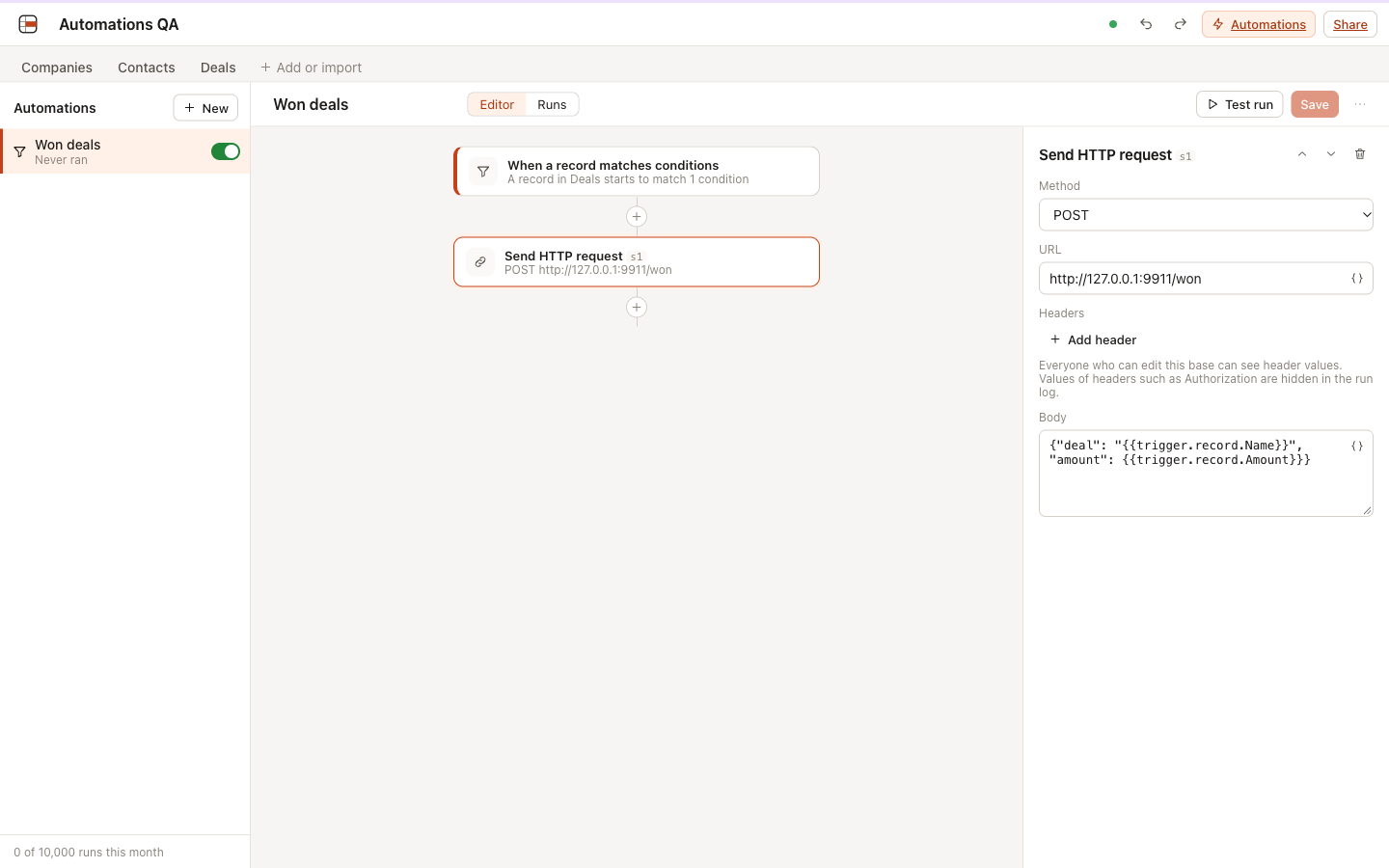
Edit to outgoing request (scenario 1, five deals set to Won): 14, 8, 9, 8 and 8 ms, median 8 ms, target under 2 s.
UI scenarios
| Scenario | What was checked | Result | Screenshot |
|---|---|---|---|
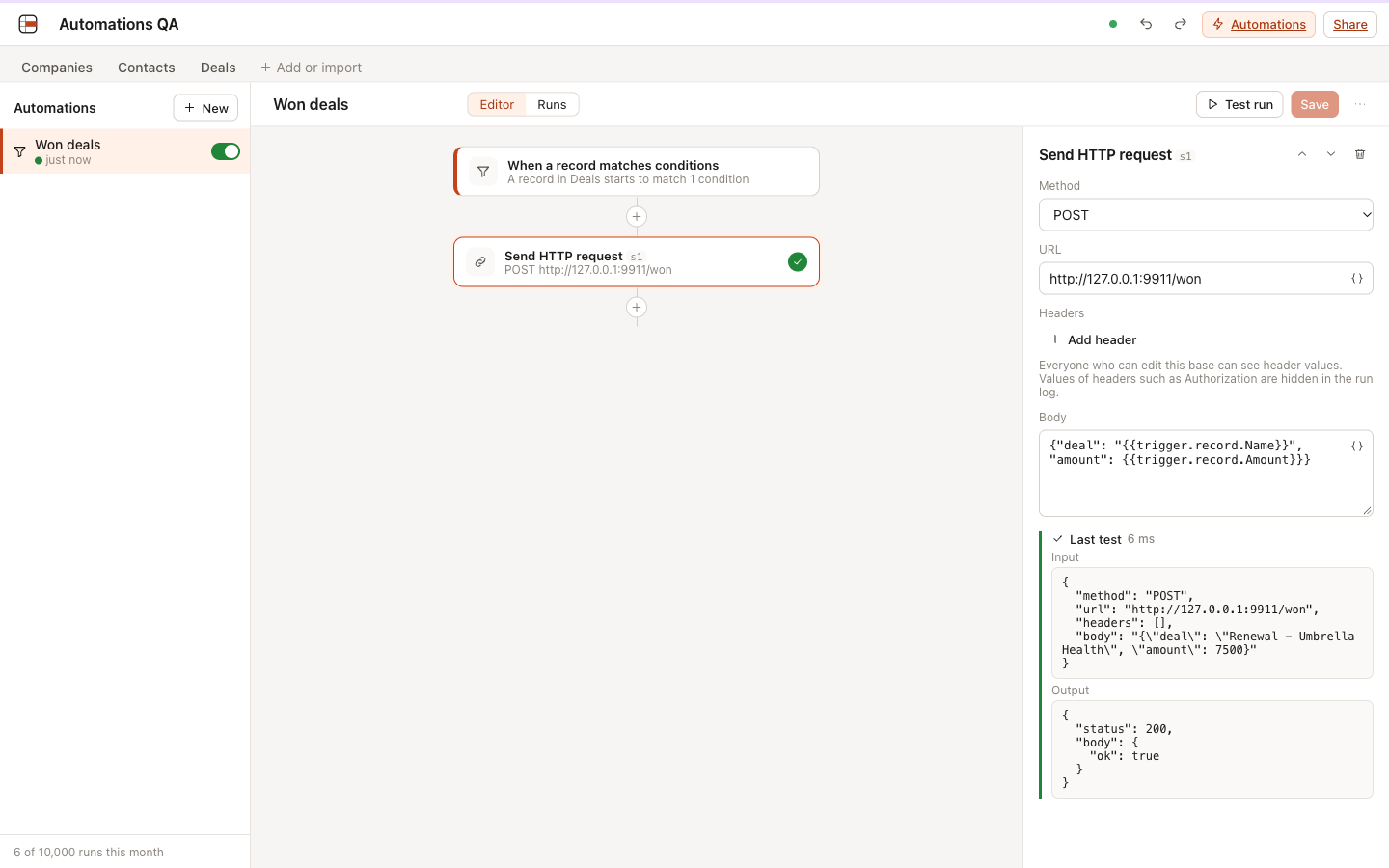
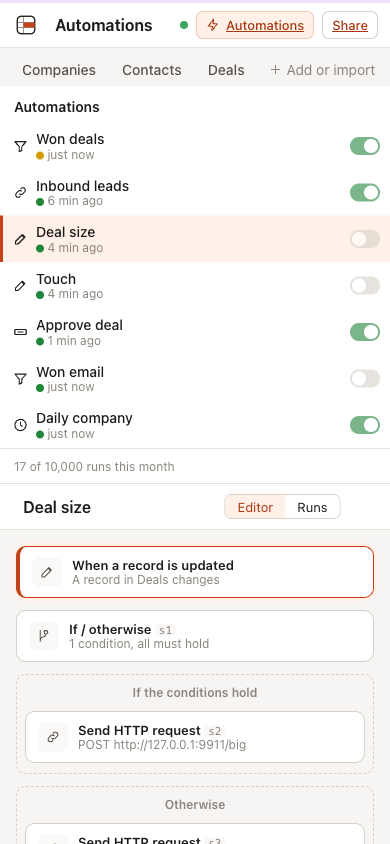
| Record trigger to HTTP | “Won deals” built in the editor (a deal starts to match Stage is Won, then POST a JSON body with the deal’s name and amount); five deals set to Won; the receiver got five requests with the right names and amounts; the run log shows each step’s input and output | Pass | editor, runs |
| Schedule | Every day at 05:49 Asia/Shanghai, create a company named Scheduled {{now}}; the run started at 05:49:00.004 and the company exists |
Pass | |
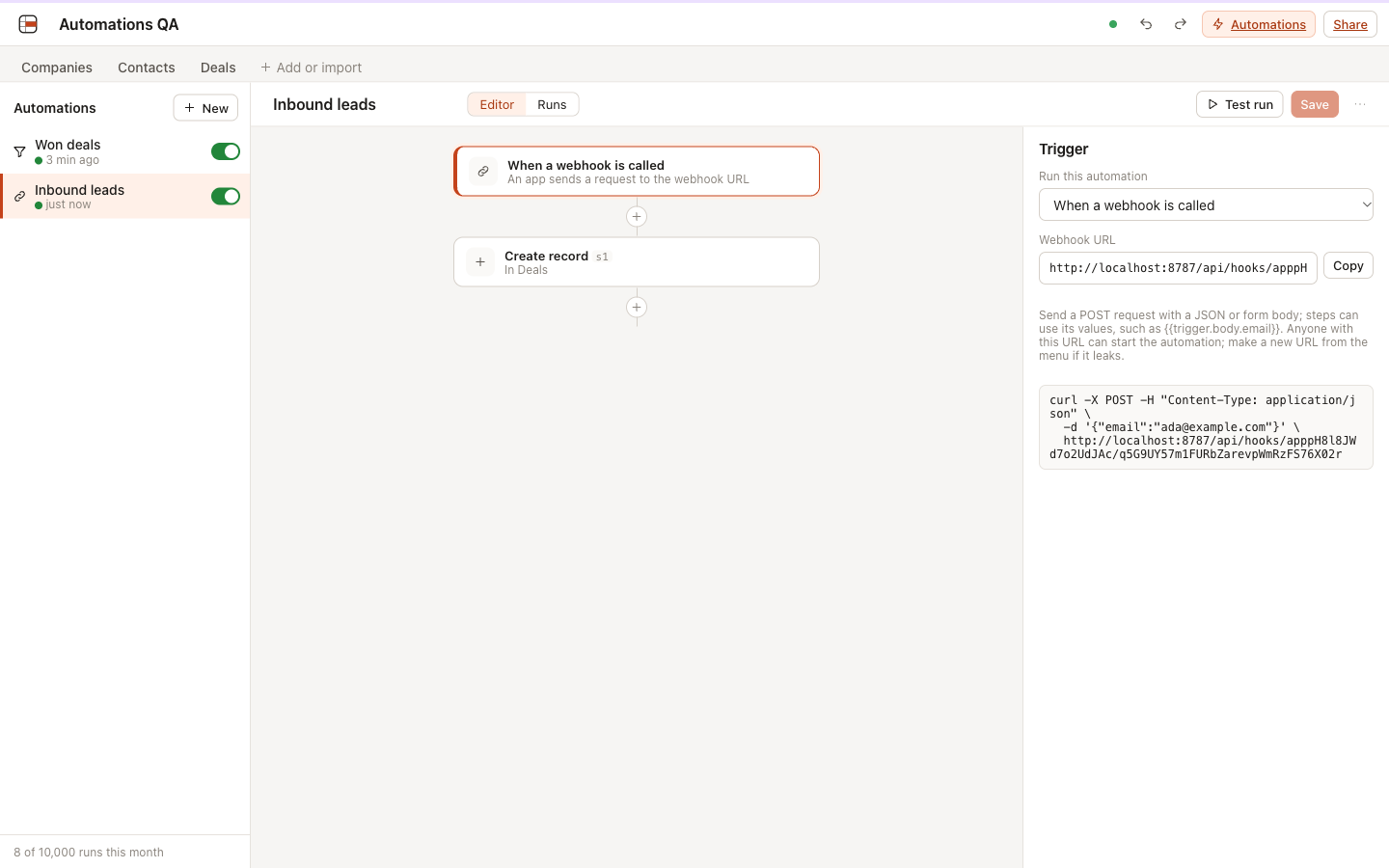
| Webhook | Webhook to a new deal from {{trigger.body.name}} and {{trigger.body.amount}}; a JSON and a form call answered 202 and made two deals; a wrong token 404; broken JSON 400 |
Pass | webhook |
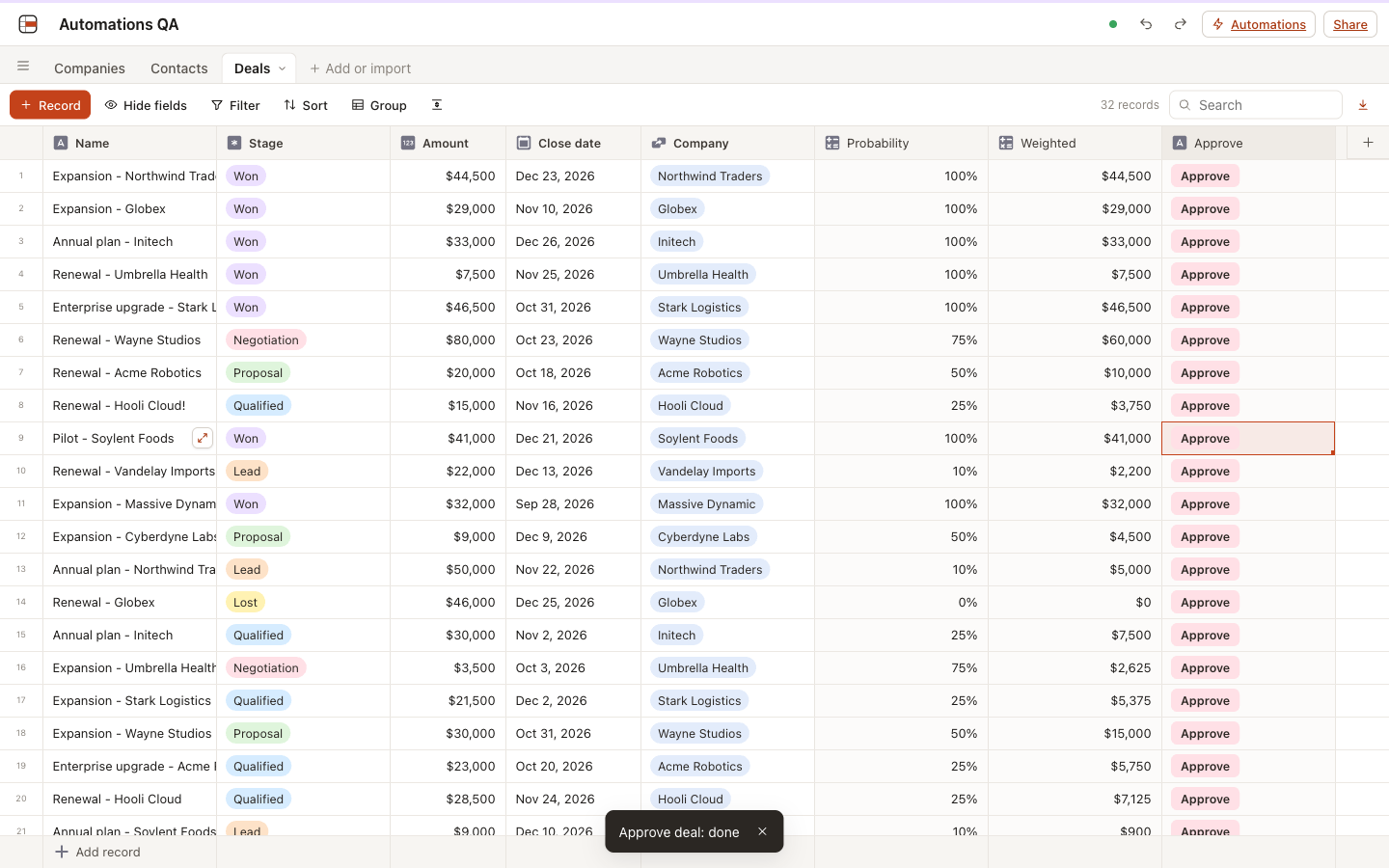
| Button | A Button field “Approve” made in the field dialog and bound to “Approve deal”; clicking it in the grid set the deal to Won with a “done” message; a viewer got “You cannot run this automation”, saw no Automations link and got 403 for definitions, and could run it once viewers were allowed | Pass | button |
| Test run | Test run with a chosen deal: the step card turns green and the panel shows the request and the answer; the month’s run count did not change | Pass | test run |
| Failure, retries and run again | With the step pointed at an address answering 503: tries at 0 s, +10 s, +1 min and +5 min, then “Failed”; after pointing it back and clicking “Run again from the failed step” the run succeeded and the receiver got the request | Pass | failed run |
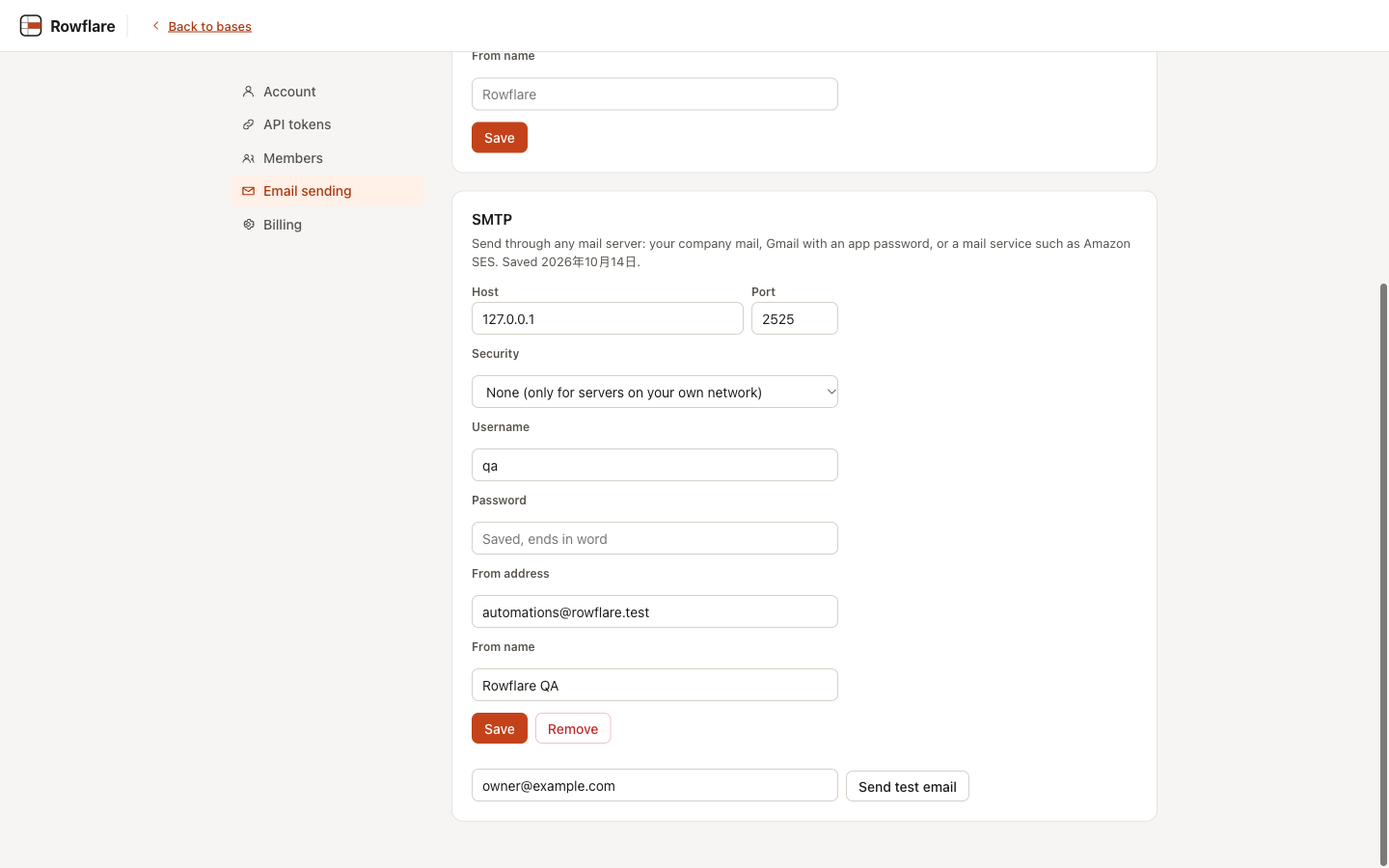
| Email over SMTP | Settings, Email sending: SMTP saved and a test email received; an HTML email step on a deal named Cyberdyne <Labs> & Co arrived with To, Cc and the envelope right, the name escaped in the body, and a record link that opens the record |
Pass | email settings |
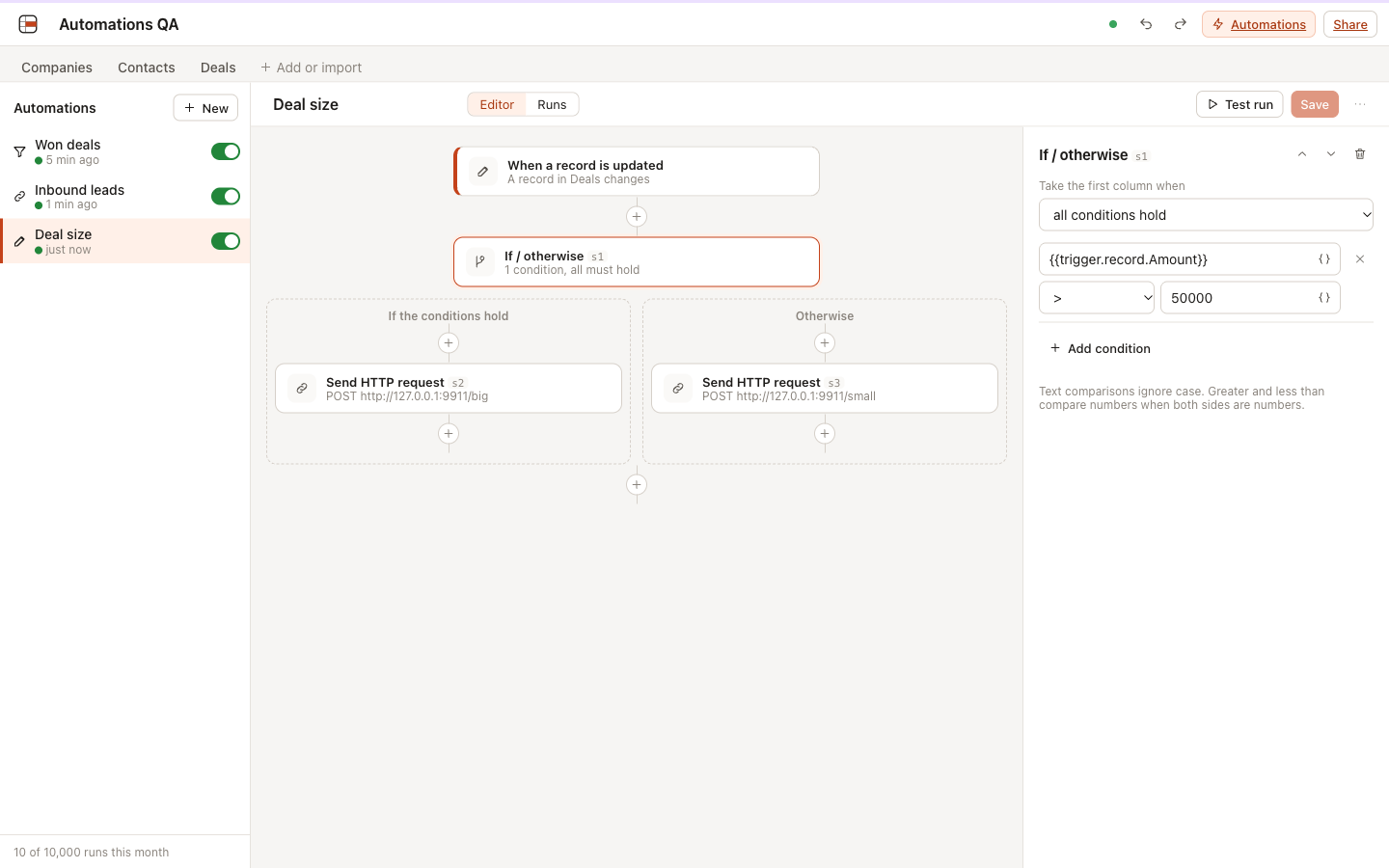
| If / otherwise | Amount over 50,000 posts to /big, otherwise to /small; an 80,000 deal and a 20,000 deal each took their own path | Pass | branch |
| Loop protection | “Touch” updates the trigger record’s name when a deal changes; one edit made exactly one run and one “!” | Pass | |
| Phone | 390 px: the list and the chosen automation’s flow in one column, no editing controls, no sideways scrolling | Pass | phone |
| Docker runtime | The image’s server with a fresh data directory: webhook made a deal, a wrong token 404, a record trigger reached the receiver 9 ms after the edit, and an SMTP test email arrived through workerd’s TCP sockets | Pass |
Found and fixed during these checks:
- A currency field in an HTTP body came out as
$44,500, which broke the JSON. HTTP URLs, headers and bodies now insert plain numbers; emails keep the formatted text (unit test first). - The bench showed a 1,000-row paste into a table with a record trigger taking 2.3 s, because every queued run pruned the run history. A write now prunes once per automation (57 ms after).
- “Run again” re-ran the definition from when the run was queued, so fixing the step did not help. It now uses the automation as it is now and still resumes at the failed step (worker test first).
- With one automation open, “New” created the automation but showed the old one again.
- The automations list kept “Never ran” and “0 runs this month” until the page was reloaded; it now refreshes while the page is open.
- The value of an if/otherwise condition was squeezed to a few characters; it now has its own line.
Found by the final code review and fixed, each with a failing test first: a date trigger stopped for good when 500 or more recently passed dates came first; more than 5,000 records due in one check were cut off; text inserted into a JSON body or a URL was not escaped, so a value with a quote could break or change the request; a button run cut off by an eviction had no alarm to resume it; a retried run lost HTTP answers longer than 4 KB from earlier steps.
Known limits
- Only records written directly fire record triggers; a rollup or a link changed as a side effect of another table’s write does not.
- Under
wrangler dev(local development only), a host name that points at a private address is not refused; the Docker image resolves names and refuses them, and Cloudflare cannot reach private networks. Redirects are not followed. - Header values (such as API keys) are stored in the definition and visible to everyone who can edit the base; only the run log masks them.
- A timeout after the mail server accepted a message, or a server error from Resend, is retried, so an email can arrive twice.
- The webhook rate limit is counted per Durable Object instance and resets when the object is evicted.
- System email exists only on Cloudflare; the Docker image offers Resend and SMTP.
- A date moved into the past does not fire a date trigger; a button click waits for its run (up to 30 s) and a very fast run shows no “Running…” state.