Features
Everything a team table needs, in your own Cloudflare account.
Each larger feature has its own page with screenshots and the test method and results behind it.
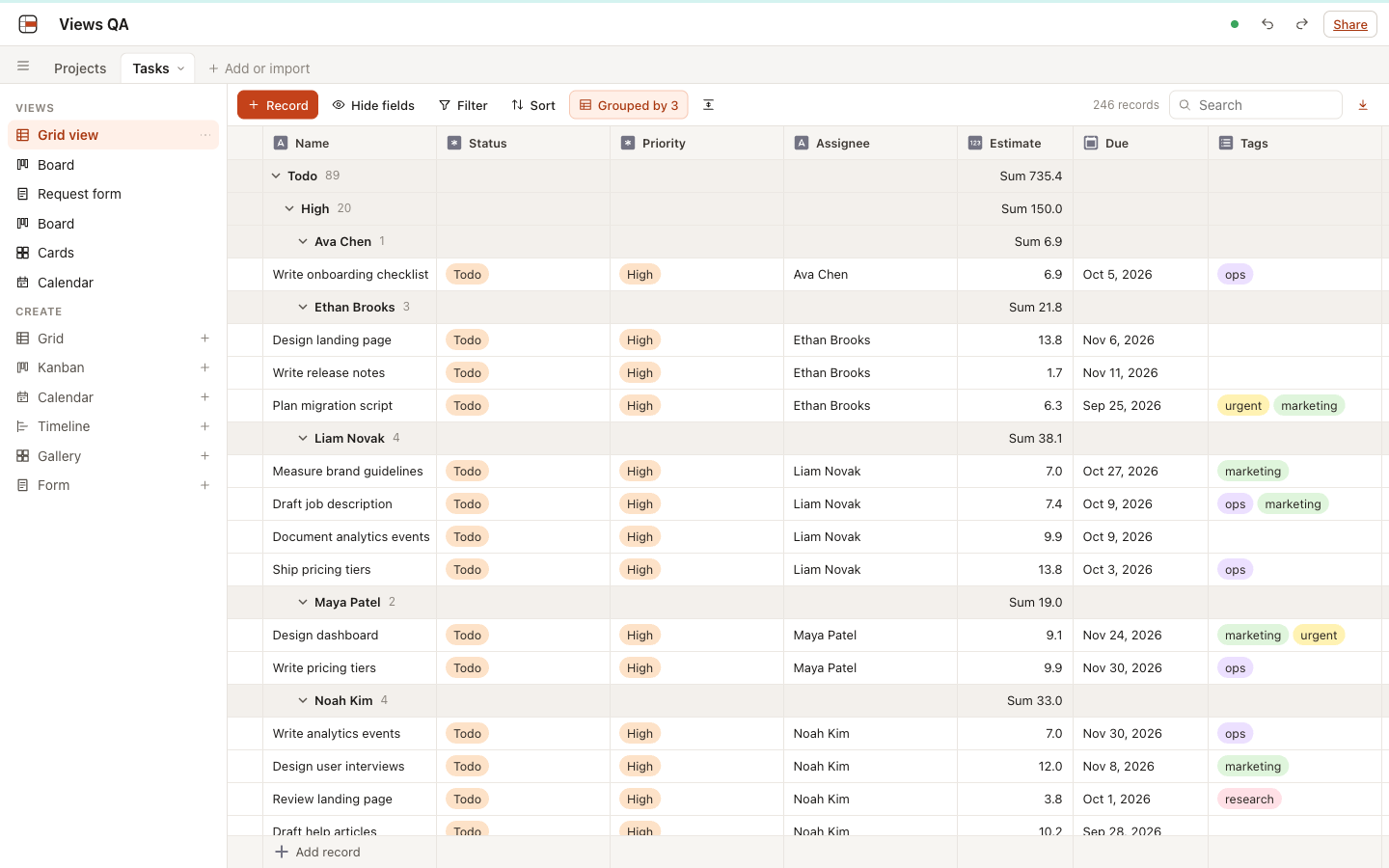
Views
Grid, kanban, calendar, timeline, gallery and form views over the same records.
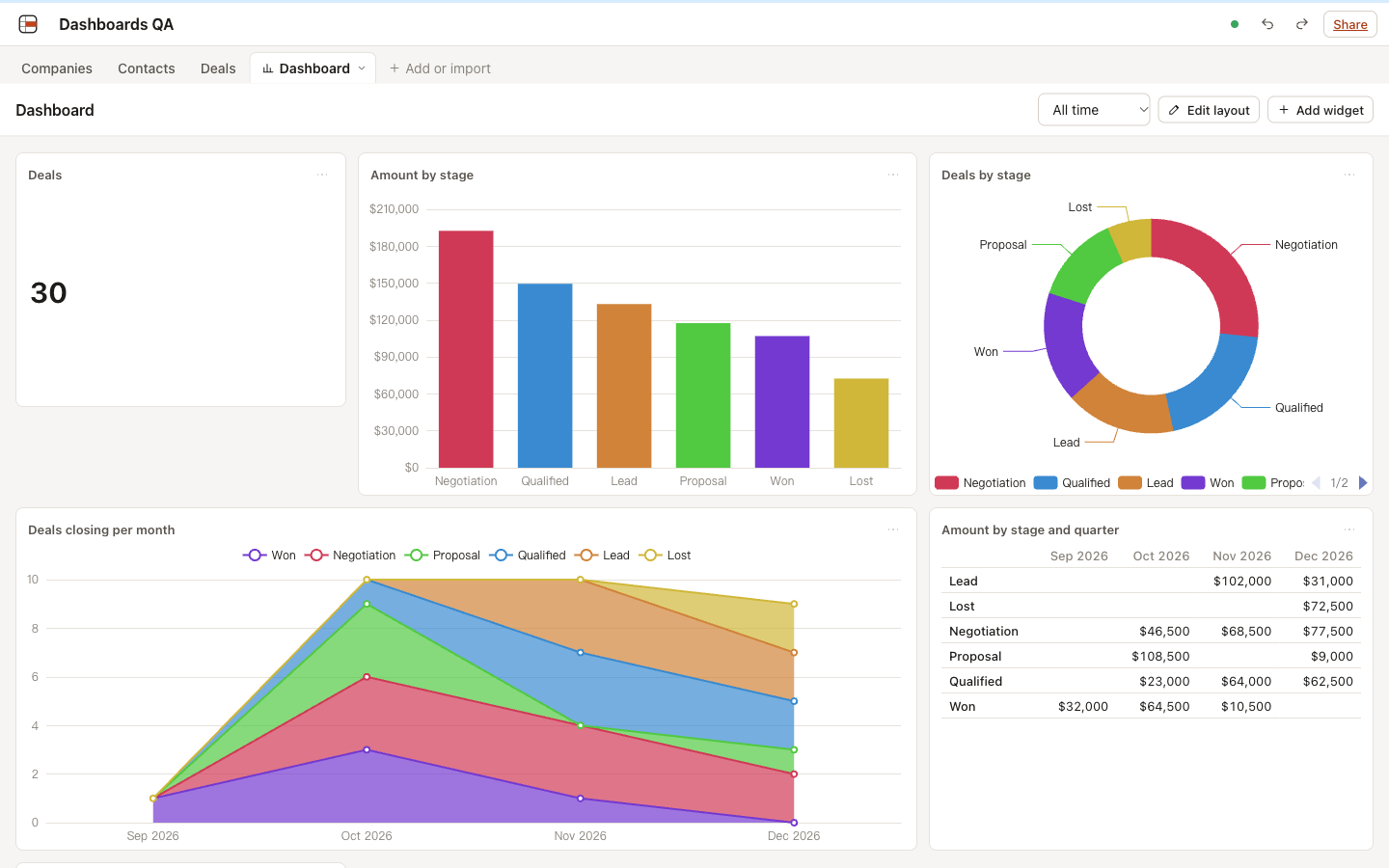
Dashboards
Numbers and charts over any table, computed next to the data.
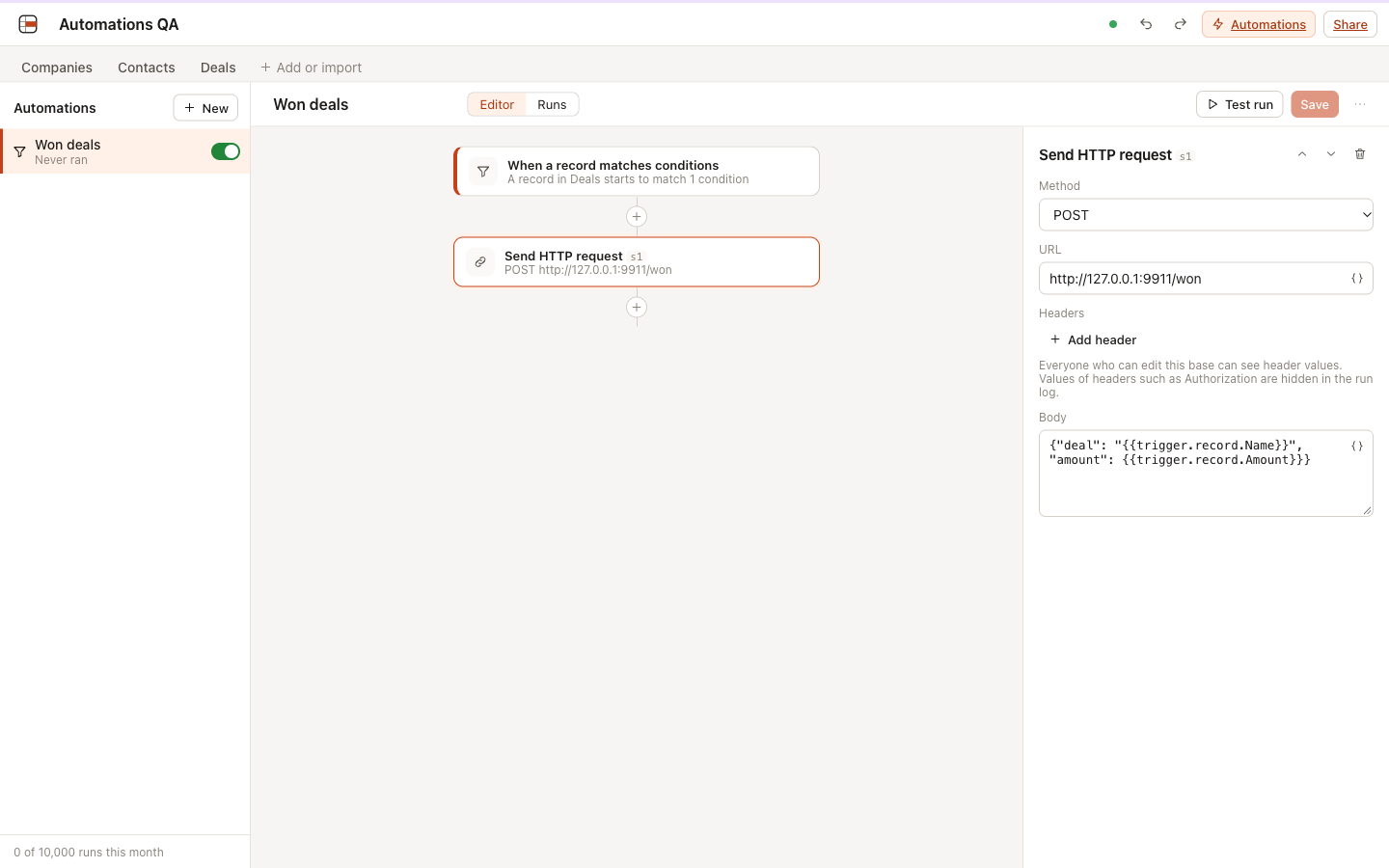
Automations
When something happens in a base, do the next thing for you.
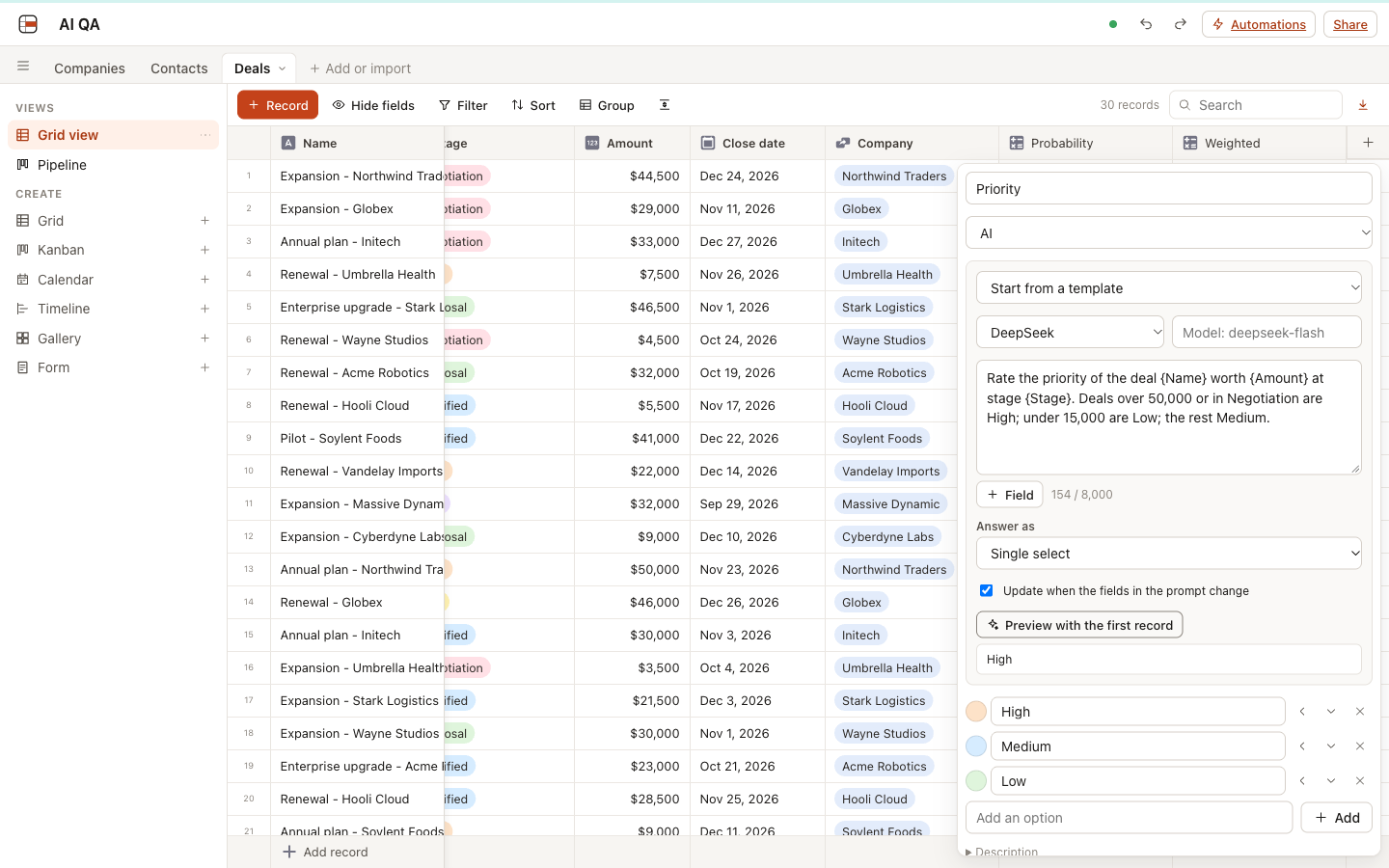
AI fields
Let a model fill a column: summaries, categories, numbers and dates from your records, with your own key.
MCP server
Claude, Cursor and other AI clients work with your bases directly.
The full list
Views
- Grid with grouping by up to 3 fields and group totals
- Kanban
- Calendar (month and week)
- Timeline with lanes
- Gallery
- Form with a shareable link
Field types
- Single line text
- Long text
- Number, currency, percent
- Single select
- Multi select
- Date, with or without time
- Checkbox
- Attachment (stored in your R2 bucket)
- Link to records
- Lookup
- Rollup
- Formula (Airtable syntax, 89 functions)
- Created time
- Last modified time
- User
- URL
- Phone
- Autonumber
- Button (runs an automation)
Dashboards
- Metric cards with change against the previous period
- Bar, line and pie charts
- Pivot tables
- Shared date range
- Click any number to see its records
Automations
- Record created, updated or matching, schedule, date reached, webhook, button
- Create, update and find records, HTTP requests, email, AI generate, if/otherwise
- Run log, retries, loop protection
- Email through Cloudflare Email Service, Resend or SMTP
AI
- AI fields: text, choices, numbers, dates and checkboxes from a prompt
- Your own key: Anthropic, OpenAI, DeepSeek, Qwen, Kimi, Zhipu, OpenRouter, Gemini, Ollama
- Workers AI without a key on Cloudflare
- Images from attachments for models that read them
- MCP server for Claude, Cursor and other AI clients
Editing
- Real-time collaboration
- Undo / redo
- Copy and paste with Excel and Google Sheets
- Drag to fill
- Keyboard navigation
Data in and out
- CSV import
- Direct Airtable import
- REST API with personal access tokens
- One-click deploy to Cloudflare
- Docker image