Dashboards
Numbers and charts over any table, computed next to the data.
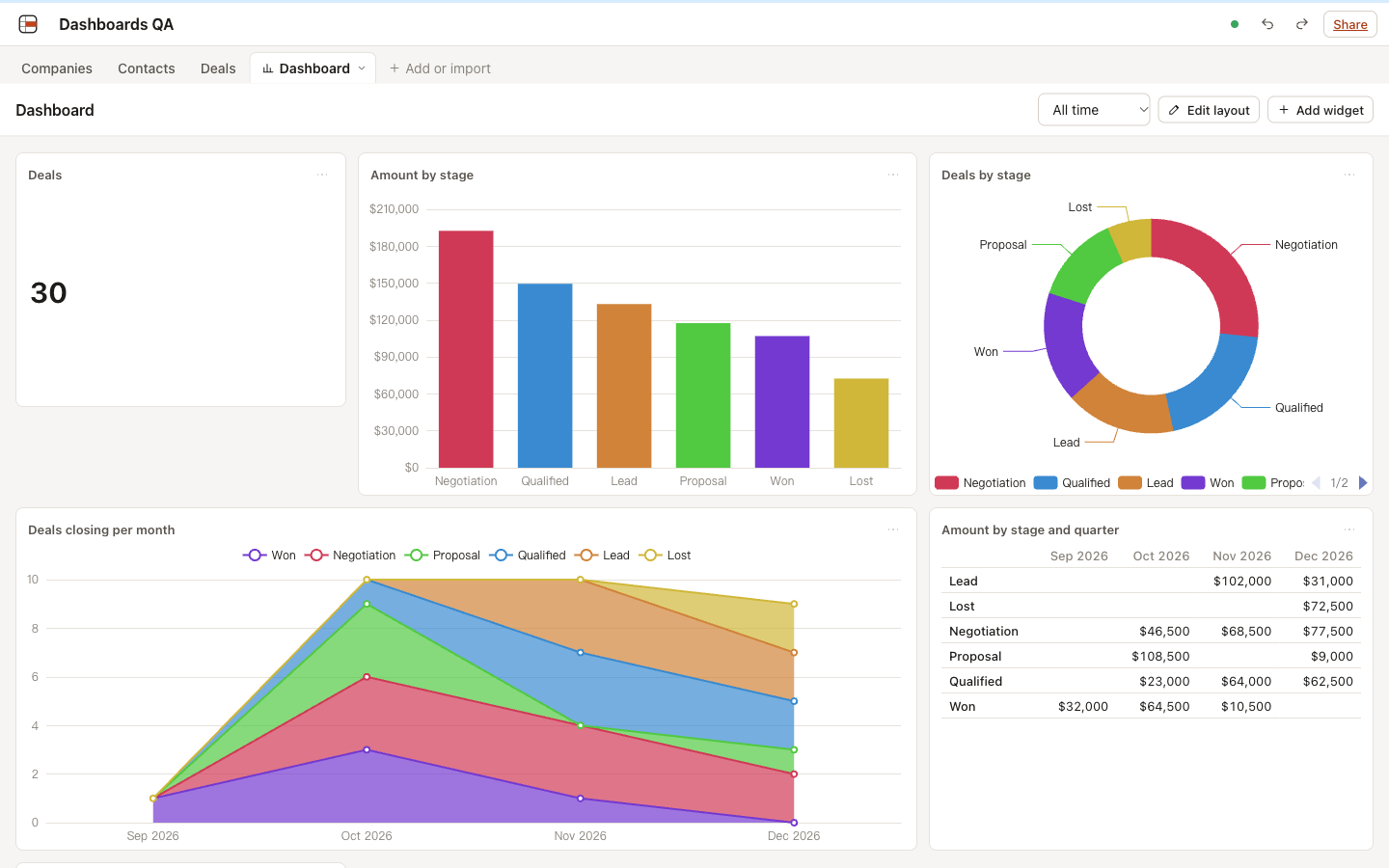
Number cards, bar, line and pie charts, and summary tables on a drag-and-drop grid, with a shared date range and a click on any number to see the records behind it.
- Metric cards with the change against the previous period
- Bar, line and pie charts, stacked and horizontal bars, top N with Other
- Pivot tables by two fields, dates by day, week, month or year in your time zone
- One date range for the whole dashboard, and a drill list behind every number
- Viewers see dashboards read-only; they update live as records change
61 of 61 automated tests pass in 4 files (2026-10-21).
Verification record
The test method and results below are the project's own record, kept next to the code and published unedited.
Dashboards: verification record
Date: 2026-10-13. Feature: part 3 of the feature expansion (spec).
What was tested
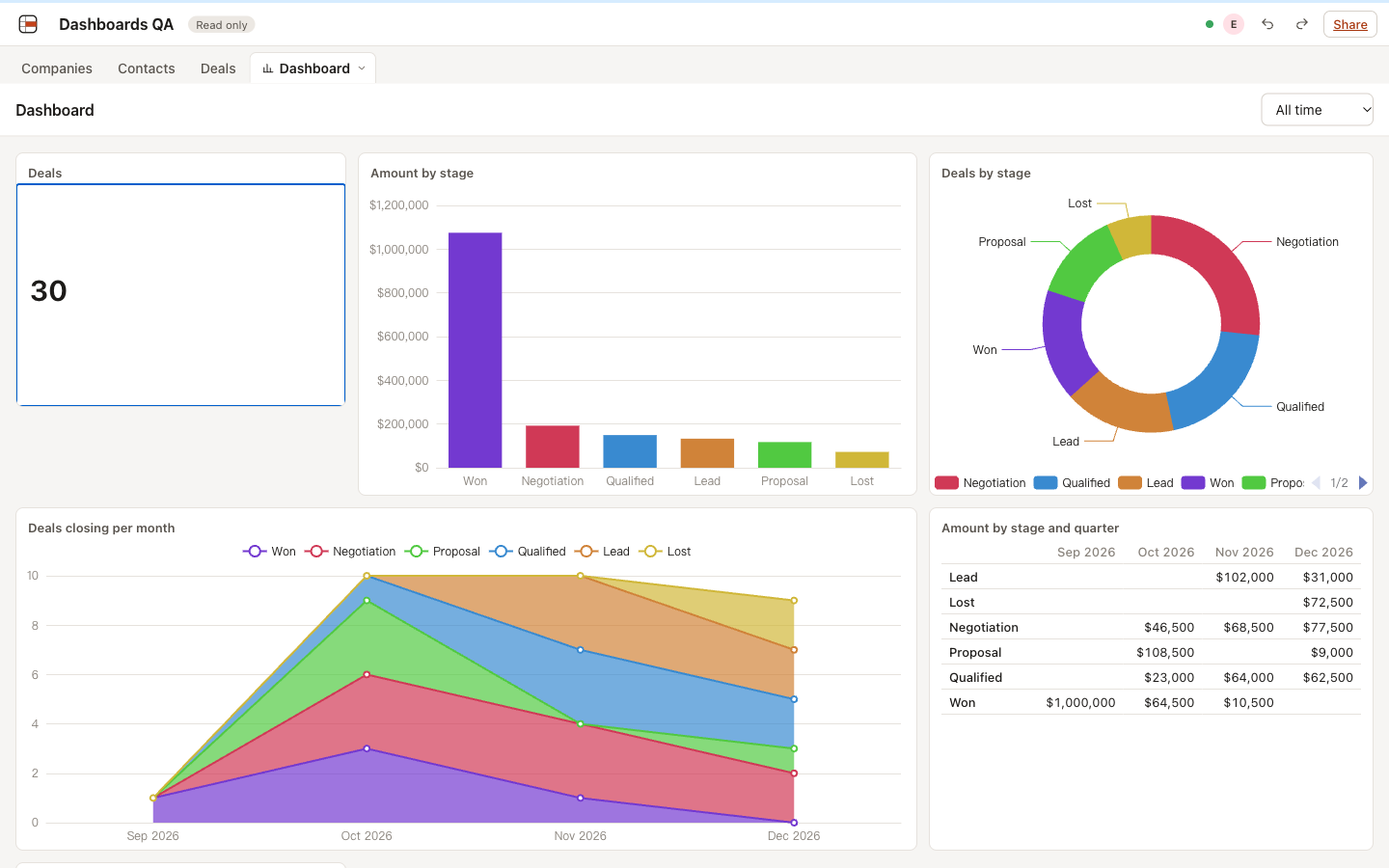
- Dashboards stored per base next to the tables, created, renamed and deleted from the tab bar; viewers read only.
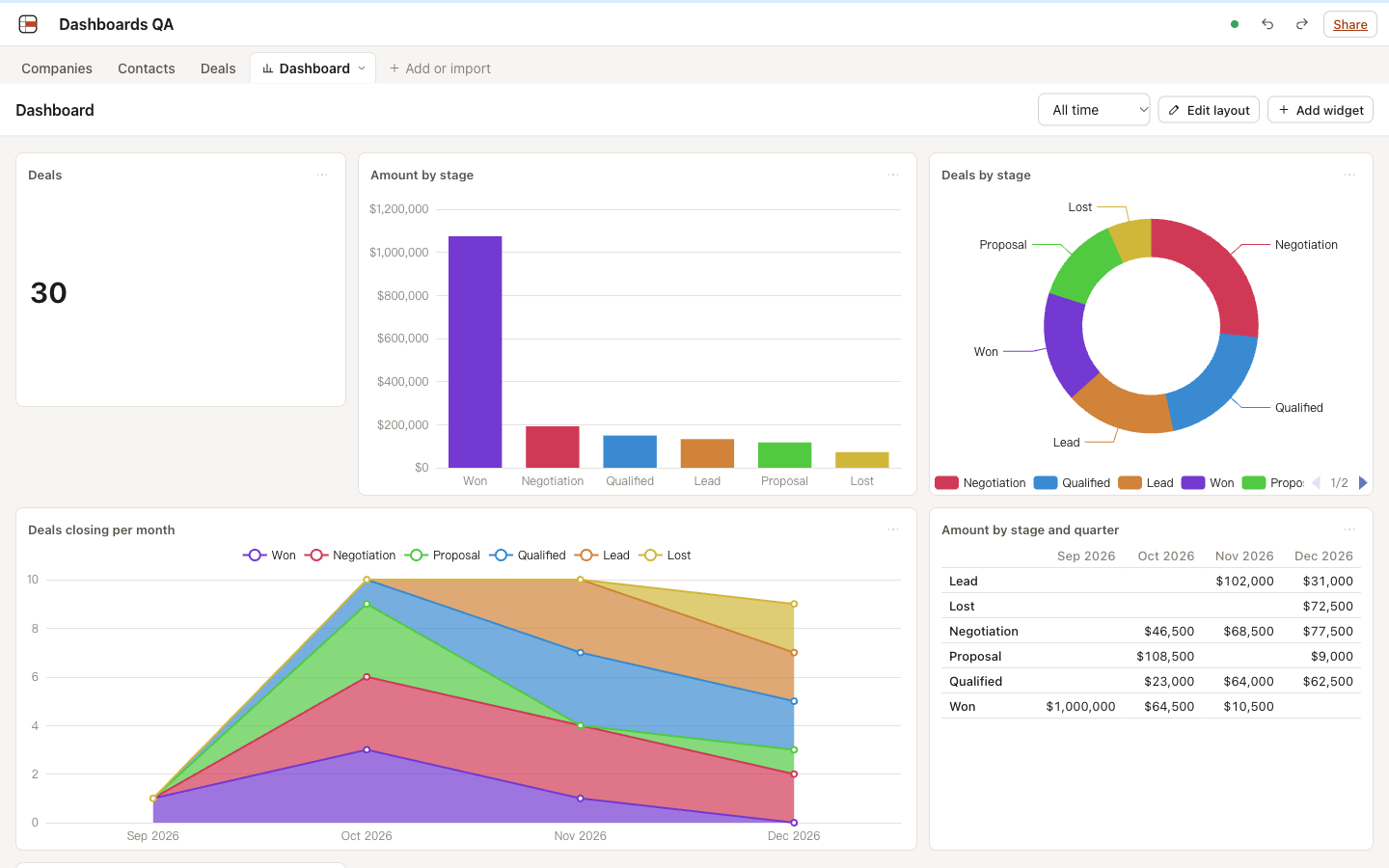
- Six widget types: number (with comparison to the previous period), bar (stacked, horizontal), line (area), pie and donut, summary table (1 or 2 fields), Markdown text.
- Per-widget source: table, optional view, extra filters, and a date field for the dashboard’s date range.
- Date range presets (all time, this week, month, quarter, year, last 7 and 30 days, custom) kept per viewer.
- Engine additions: date range, order by key, top N with “Other”, drill-down that lists exactly the records counted, and a result cache cleared by any write.
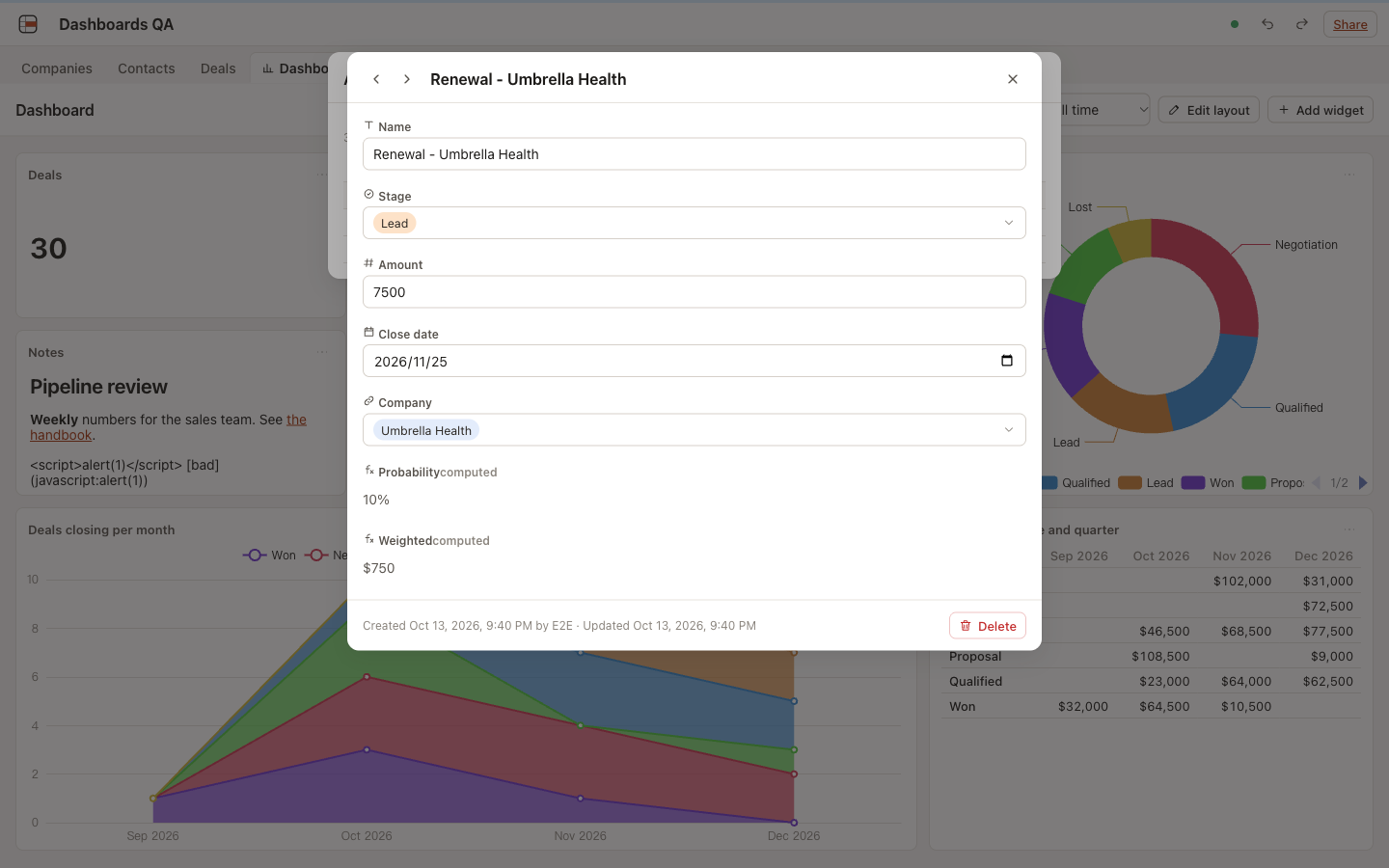
- Drill-down from every chart element, table cell and number card to the records, and on to the record view.
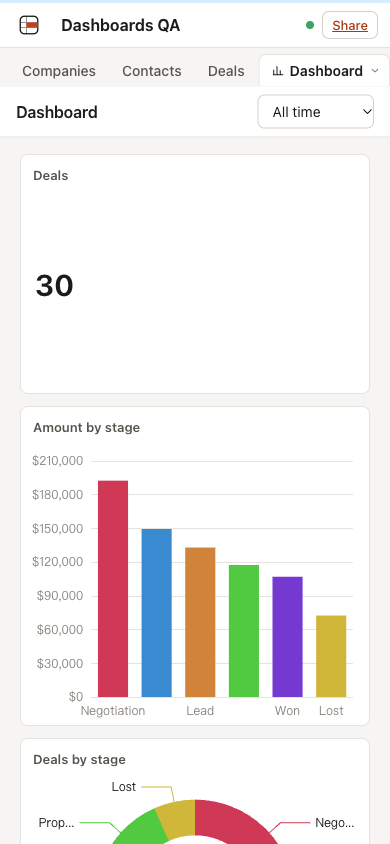
- 12-column layout with drag and resize; one read-only column on phones.
- Live refresh when a widget’s table changes, and only then.
- Four MCP tools:
list_dashboards,get_dashboard,create_dashboard,update_dashboard. - Safety: Markdown in text blocks cannot run script or produce
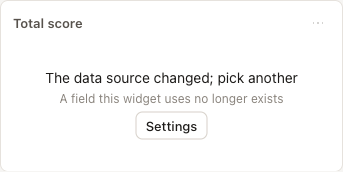
javascript:links; a widget whose field, view or table was deleted shows a clear state instead of an error.
How
- Unit tests (Vitest, Node): widget queries and checks, date presets including year and quarter boundaries and leap years, previous periods, time-bucket filling (capped at 5,000 buckets), chart options for each widget type, summary tables, number formatting, phone ordering, layout diffs, editor patches, Markdown sanitizing.
- Worker integration tests (Vitest in workerd with real Durable Objects and SQLite): aggregate range (including a value at 23:30 UTC that counts and one at 00:10 the next day that does not), key order, top N and “Other” (sums, recomputed averages, unique counts left empty), drill-down ids equal to the counts (multi-select fan-out, week buckets, empty values, “Other”), cache hits and invalidation including a rollup fed by another table, dashboard operations, two editors changing different widgets, a layout save that must not undo settings, validation, deleted sources, viewer access over HTTP, and the four MCP tools.
- UI checks with Playwright against
wrangler dev, on a base made from the CRM template (30 deals), comparing every number on screen with the aggregate API. - Bench:
npm run bench, 50,000 rows, eight typical widgets in one request batch.
Results
Tests: 61 of 61 passed in 4 files (npm run verify, 2026-10-14). The whole suite: 606 of 606.
Bench (local wrangler dev, Apple M5 Pro, Node v24.18.1, 50,000 rows; local numbers, not production):
| Action | ms | Target |
|---|---|---|
| Dashboard with 8 widgets (counts, sums, a filter, month buckets, two-level groups, top 3 with Other, a year range), cache empty | 1,401 | under 3,000 |
| The same dashboard, cached | 0.02 | under 500 |
Bundle: ECharts is only in the dashboard chunk (650 KB, 220.6 KB gzip), which loads when a dashboard opens; table pages do not load it.
UI scenarios:
| Scenario | What was checked | Result | Screenshot |
|---|---|---|---|
| Six widget types with real data | Every number equals the aggregate API: 30 deals; amount by stage 192,500 / 149,500 / 133,000 / 117,500 / 107,000 / 72,500; deals by stage 8 / 6 / 5 / 5 / 4 / 2 | Pass | overview |
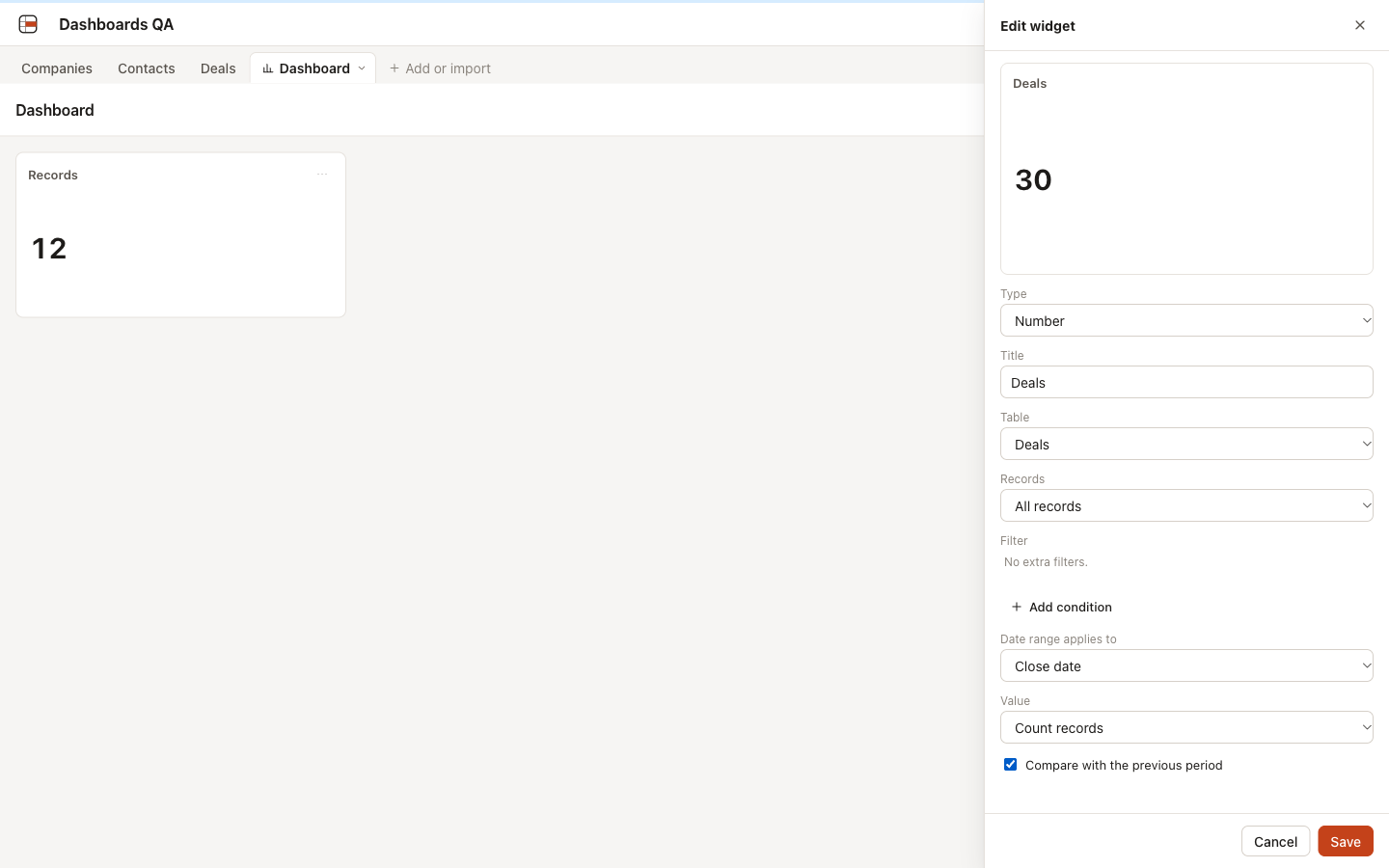
| Widget editor | Preview follows the settings (12 for Companies, 30 for Deals); Save sends only the changed settings | Pass | editor |
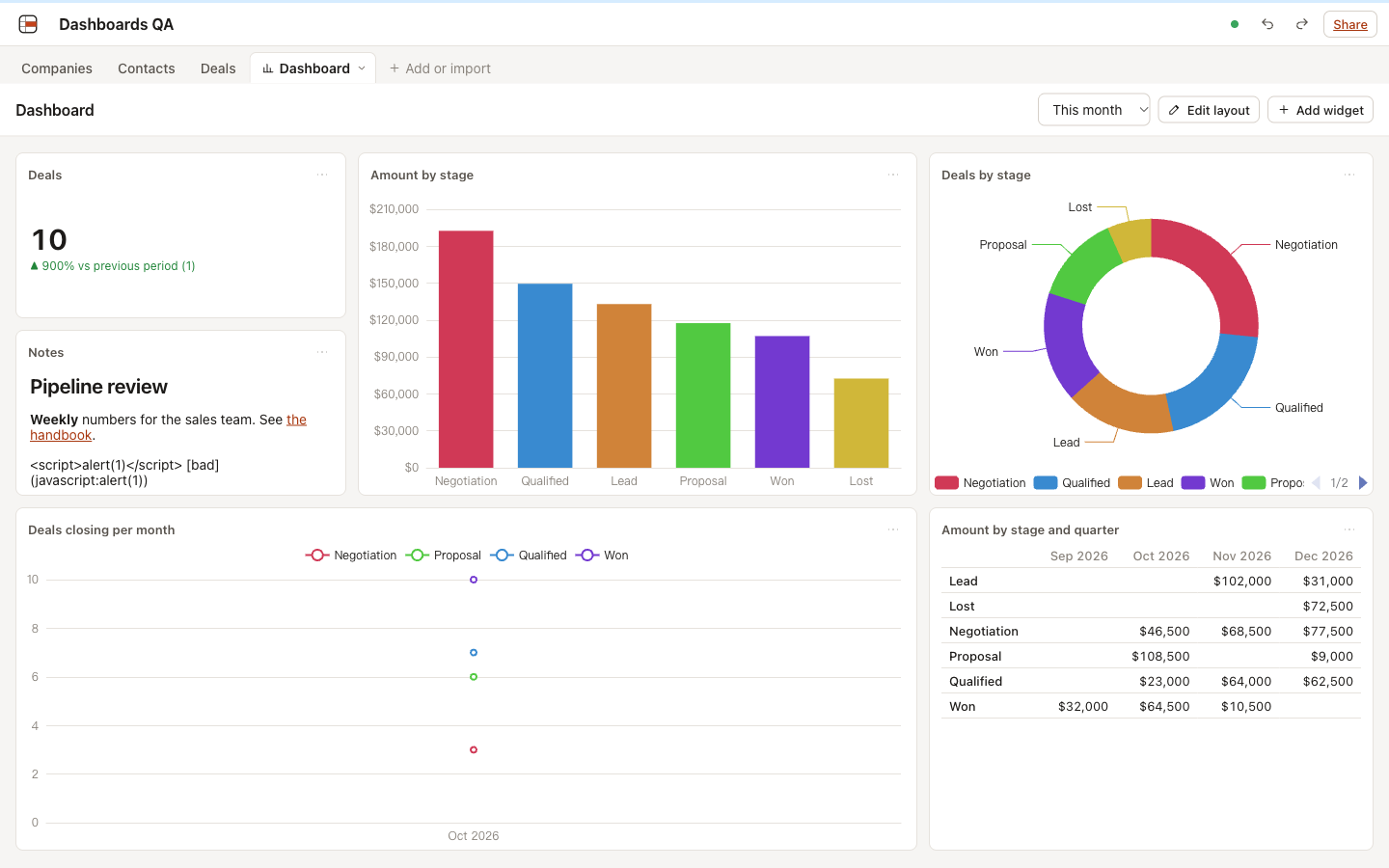
| Date range | This month: 10 deals, +900% against September (1); last 30 days: 4; equal to the API; kept after reload | Pass | this month |
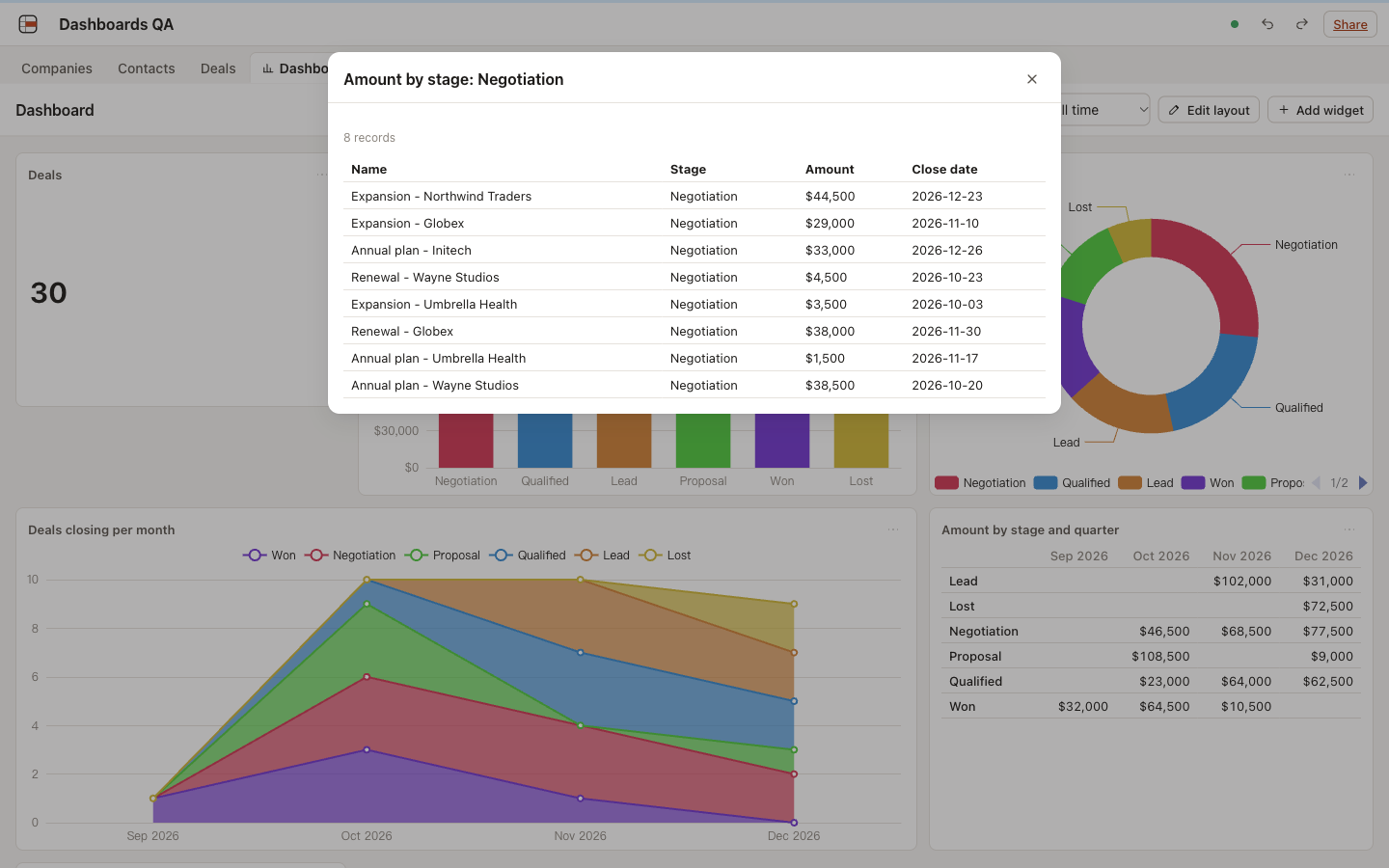
| Drill-down | Number card 30 records, bar 8, pie slice 8, table cell 3, each equal to its number | Pass | drill list |
| Record from a drill list | The record view opens above the list | Pass | record |
| Layout | Drag and resize in Edit layout; positions and settings kept after reload | Pass | layout |
| Live refresh | Another client’s edit shows in 1.3 s, re-querying only that table’s widgets; an edit to another table sends no requests | Pass | |
| Viewer | No Add widget, Edit layout or widget menus; drill-down works | Pass | viewer |
| Phone | 390 px: one column in reading order, no editing controls | Pass | phone |
| Unsafe Markdown | <script> shows as text, a javascript: link is not linked |
Pass | overview |
| Deleted field | “The data source changed; pick another” with Settings; other widgets unaffected | Pass | changed |
Found and fixed during the UI checks, each with a failing unit test first: bar charts hid every other category label, and select-option colors were too saturated for bars.
Found by the final code review and fixed, each with a failing test first: saving a widget’s settings could undo another editor’s move; a widget whose field was deleted blocked layout changes on the whole dashboard; a top-N or pie chart grouped by date was padded with empty buckets (and lost its Other slice); layout edits cleared the result cache and made every open dashboard recompute.
Known limits
- A day-bucketed chart cut at 1,000 groups shows the oldest days, with a “Showing the top 1000 groups” note.
- Summary-table rows and single-select groups sort by name, not by the option order of the field.
- A line chart over a range with one bucket shows points without a line.
- On phones, category labels that do not fit are hidden rather than wrapped.
- No public share links, image or PDF export, cross-filtering, or filters on fields other than dates (out of scope for this part).